

Canva Craft vs GPT Image 2.5: Posters, Text, and Editing
Canva Craft vs GPT Image 2.5 is a choice about the work that happens around an image. Start with Craft when the brief centers on the arrangement of a poster: a headline, a focal image, supporting copy, and deliberate space. Put GPT Image 2.5 on your shortlist when the job will involve reference images and several rounds of targeted changes.
Both belong in a serious creative workflow. A composition-first brief can still need revisions, and a conversational editing workflow can still produce a strong first image. The useful question is which route gets your particular asset approved with less rework.
Use the Canva Craft image workspace when you are ready to explore the first route. This comparison uses published capabilities checked on October 23, 2026, and an original exhibition brief. It is a guide to choosing and evaluating a workflow, not a report of a head-to-head generation test.
The short comparison
| Decision | Canva Craft | GPT Image 2.5 |
|---|---|---|
| Where to focus your evaluation | A complete design brief with clear hierarchy and spatial relationships | How accurately a visual follows the brief and survives later edits |
| What to inspect in a poster | Headline prominence, spacing, subject placement, and readable details | The same poster checks, plus whether requested revisions preserve approved content |
| Version scope | Craft's published image-generation capabilities | Flare for general generation; evaluate Sunburst separately for precision-led editing |
| Shape and size | Published output up to 2K across more than 30 aspect ratios | Configurable image dimensions within the API's size limits |
| Text in the image | Quote approved copy and check the actual result | Quote approved copy and check the actual result |
| Final editable type | Confirm the design-editor workflow used to finish the asset | Plan a design-editor step when live, editable typography is required |
| Sensible first task | A new poster built from a written brief | An image concept that needs a sequence of specific revisions |
These are evaluation priorities, not exclusive capabilities or winner labels. Neither a product description nor one attractive sample establishes which model will handle all of your work better.
Define GPT Image 2.5 before comparing it
OpenAI's image generation documentation distinguishes two models: Flare for fast everyday generation and Sunburst for workflows where editing precision matters most. The API also supports generation and editing routes, including conversational flows.
That distinction matters even for a nontechnical buyer. A review that uses Flare for one task, Sunburst for another, and a different quality setting for a third is comparing a mixed workflow. It should not present those results as one fixed model configuration.
For your evaluation, choose one route for the first round. Record the model, output dimensions, quality setting, input references, and revision count. If you later try Sunburst, treat it as a separate candidate with its own cost and results. You can assess the family without collapsing its variants into one score.
Craft's published model description emphasizes planning composition and typography before rendering. The practical implication is to give the design relationships a clear brief: what leads, what supports it, and where the copy belongs.
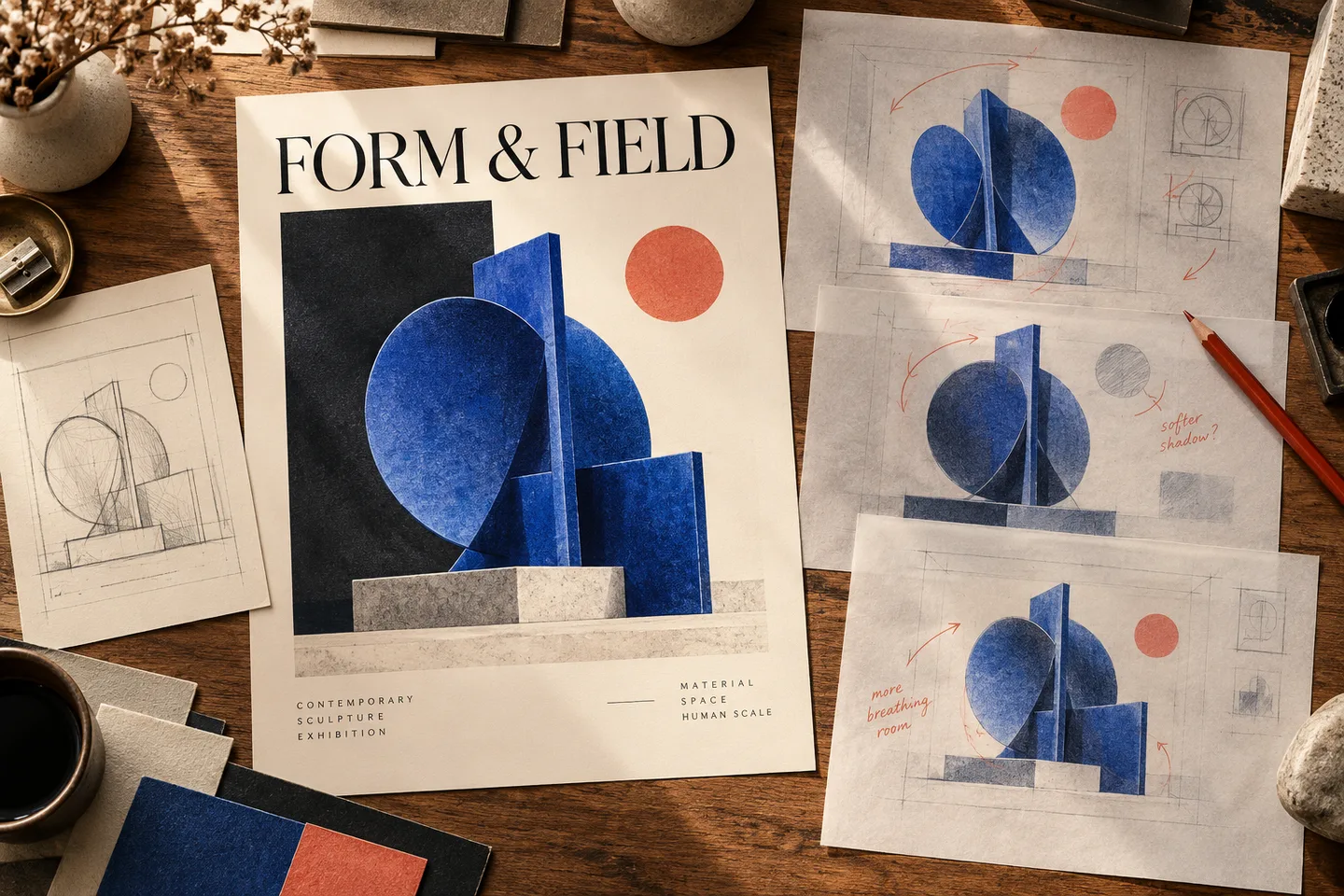
Original generated editorial illustration of composition and revision work. These are fictional design materials, not outputs attributed to either model.
Compare a deliverable rather than a list of features
Imagine a small gallery preparing an exhibition announcement called “FORM & FIELD.” It needs a portrait poster, a square social image, and a wide header. The visual subject is an imaginary cobalt sculpture on pale stone; the approved headline is fixed.
A first-round brief could read:
Design a portrait exhibition poster. Show one abstract cobalt sculpture on a pale stone plinth in the lower half. Put the exact headline "FORM & FIELD" in the upper third, with the smaller line "OPEN STUDIO" below it. Use a cream background, a restrained coral accent, and strong dark lettering. Keep the title area clear and leave comfortable margins. Include only the two quoted lines.
Keep the intended content and shape equivalent in both workflows. Select the closest comparable output settings rather than assuming the same size label means identical pixels. The aspect ratio and resolution guide explains that distinction.
Inspect the first image for four decisions: whether the headline leads, whether the sculpture is complete, whether the secondary line reads correctly, and whether the two text areas remain quiet. A beautiful sculpture does not compensate for a title that disappears into the background.
For this task, Craft is a reasonable starting point because the central problem is organizing the composition. GPT Image remains a candidate; the question is whether its initial result and subsequent revisions meet the same acceptance criteria.
The second revision is often more revealing than the first image
Once a concept is promising, make two controlled changes. First ask for a softer shadow while preserving the sculpture's shape and the copy. Then ask for more space around the headline while keeping the approved palette.
A revision instruction might be:
Soften only the shadow under the sculpture. Keep the sculpture's geometry, the two exact text lines, their placement, the cream background, and the coral accent unchanged.
Save each version. Check the whole image, not just the edited area. Did a letter change? Did the sculpture acquire a new opening? Did an approved line break disappear?
OpenAI positions Sunburst around precision-sensitive editing. That makes it worth evaluating for jobs with several approved details to preserve. It does not remove the need to verify those details.
Use the same revision exercise with Craft when considering it for an iterative production workflow. If the revision changes too much, compare another generation against a manual finishing step. Repeatedly asking for a small change is not automatically the most efficient route.
Match the output to the placement
Craft's published output envelope and GPT Image's configurable dimensions are different controls, not interchangeable quality scores. For a very wide banner, check the supported shape before choosing the model. For a tightly cropped product detail, check the usable pixels after the crop.
The OpenAI generation guide documents custom dimensions with aspect-ratio and pixel limits; it marks resolutions above 2560 × 1440 as experimental. Do not interpret a large size option as a promise of identical detail or reliability at every shape.
For the exhibition brief, specify a delivery requirement for each placement. Compare the portrait poster at a comparable viewing size, then assess the square image and wide header as separate compositions. If your final document needs vector shapes or editable type, a larger raster image does not satisfy that requirement by itself.
Text accuracy and editable typography are different requirements
A generated headline can be visually convincing while still missing a character. It can also be spelled correctly but remain inseparable from the image pixels.
Decide which deliverable you need:
- An image containing a short headline: evaluate lettering and placement in the generated image.
- A poster with frequently changing dates or offers: plan editable text objects in the finishing document.
- A client template: inspect the actual handoff file and confirm another person can change the copy.
Canva's announcement describes Craft working with Magic Layers, but the finishing workflow still matters. A flat downloaded image should not be treated as proof that you have live text objects. The same distinction applies to images generated with GPT Image.
For the exhibition poster, you might generate the title and artwork together to explore visual direction, then add confirmed opening hours in your layout editor. Use the poster text guide for a fuller correction checklist rather than trying to solve every wording problem by regenerating the artwork.
Compare cost per approved asset
A subscription allowance, a site's credits, and an API bill describe different purchase arrangements. Compare the channel you will actually use.
For Craft in this workspace, check the displayed credit quote and available plans. For GPT Image through the API, use OpenAI's current pricing for the selected variant and settings. A ChatGPT subscription should not be used as if it were the price of an API request.
A useful project measure is:
Effective generation cost = all generation and revision charges ÷ approved deliverables.
Suppose a fictional evaluation costs $12 and produces eight approved graphics. Its generation cost is $1.50 per approved graphic. That is an arithmetic example, not a price claim for either product. Track human finishing time separately: an inexpensive first attempt may still be costly if every output needs extensive repair.
Keep the comparison fair by counting rejected attempts and edits. Compare the same delivery size, include reference inputs where they are billed, and avoid presenting a low-quality draft price beside a final-quality output price.
A small evaluation that produces a useful decision
You do not need a large benchmark to learn about your own workflow. You do need a record that separates observations from impressions.
| Stage | Keep constant | Record |
|---|---|---|
| Initial poster | Subject, exact copy, target shape, and design intent | Text errors, hierarchy problems, useful first concepts |
| Shadow revision | Requested edit and the details to preserve | Unwanted changes outside the shadow |
| Spacing revision | Approved wording, palette, and sculpture | Whether the title area improves without new defects |
| Final handoff | Required size and editing needs | File suitability, remaining repairs, total charges and finishing time |
Run more than one attempt if the decision will affect recurring client work. Save the failures as well as the strongest image; otherwise a portfolio of selected successes can hide the work needed to reach them.
Only describe a difference as observed after you have generated and inspected the relevant files. This article provides the evaluation plan so that you can make that distinction honestly.
Which route fits your next job?
Choose Craft as your starting candidate when the written brief already defines the headline, focal point, layout, and intended format. Its design-oriented approach gives you a clear set of relationships to describe and inspect.
Choose GPT Image 2.5 as a starting candidate when the concept will develop through conversation or a sequence of tightly specified changes. Choose between Flare and Sunburst deliberately instead of switching without recording it.
If the real requirement is a reusable document with editable typography, evaluate the complete finishing workflow alongside the image model. The best first image and the easiest final handoff are not always the same decision.
For another reference-led option, see Craft vs Nano Banana 2.1. If your main concern is visual style rather than revision control, Craft vs Midjourney examines that choice.
Start with one exhibition brief in the Craft workspace, keep the first result, and define what would make it approved before spending time on variations. The prompt guide can help you prepare that brief.
Sources checked October 23, 2026. Recommendations interpret published capabilities; the article does not claim measured superiority, fixed error rates, or equal latency across models.